 ← Pickerty Resource Center
The page your link leads to, and the steps to sign up.
Worth looking at once, because it's what your advertising actually delivers people to.
Your sign-up link opens a page with your sale title, your company name underneath it as a link back to your profile, and your photos across the top. A See all photos link opens the full gallery, with the count on it, so shoppers can see at a glance what's available.
Your description sits below the photos under Sale Details. Everything in it is yours — this is the same text you wrote on the General step, so it's worth writing well. See Create your first sale.
Signing up happens in three easy steps.
Choose Your Date lists your sale days. A shopper picks the day they want, which matters most on a multi-day sale where the days are set up differently — one day on a sign-up sheet and the next walk-ins only, say. There's a How It Works link here for any customer who's never used Pickerty.
If a day has entry groups, this is where the shopper picks one. If there's only one group, we don't show this step.
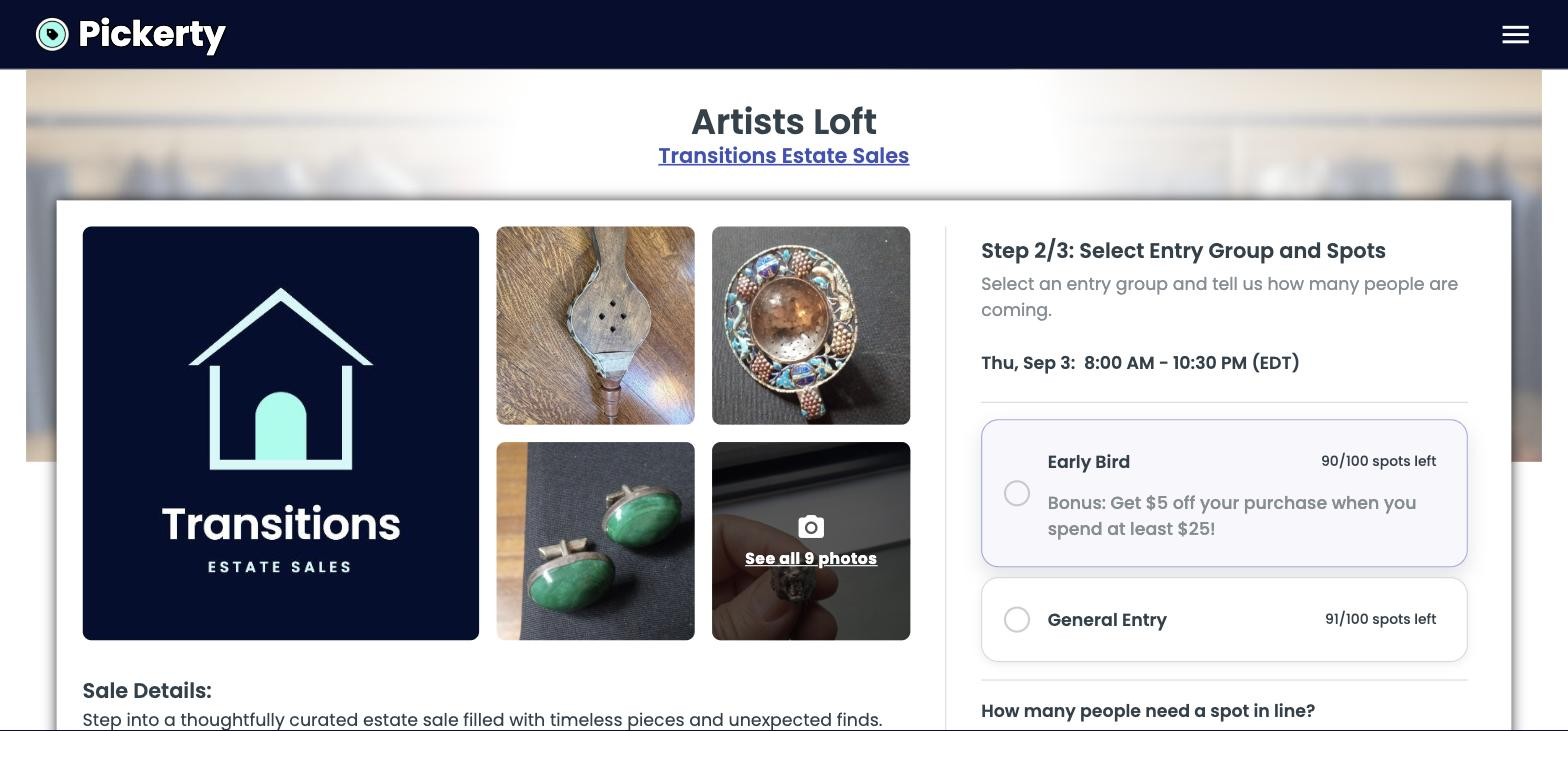
Each group shows three things without the shopper having to ask:
This is the screen that makes a paid early-entry group worth setting up, because the bonus and the scarcity are both visible at the moment someone decides. See Entry groups and Charging for a spot.
Underneath, How many people need a spot in line? lets one person claim a spot for themselves and a guest.
A walk-in day has nothing to sign up for, and an appointment day offers time slots instead of groups. If a sale looks wrong to a shopper, the day's attendance type is usually why — see How people attend your sale.
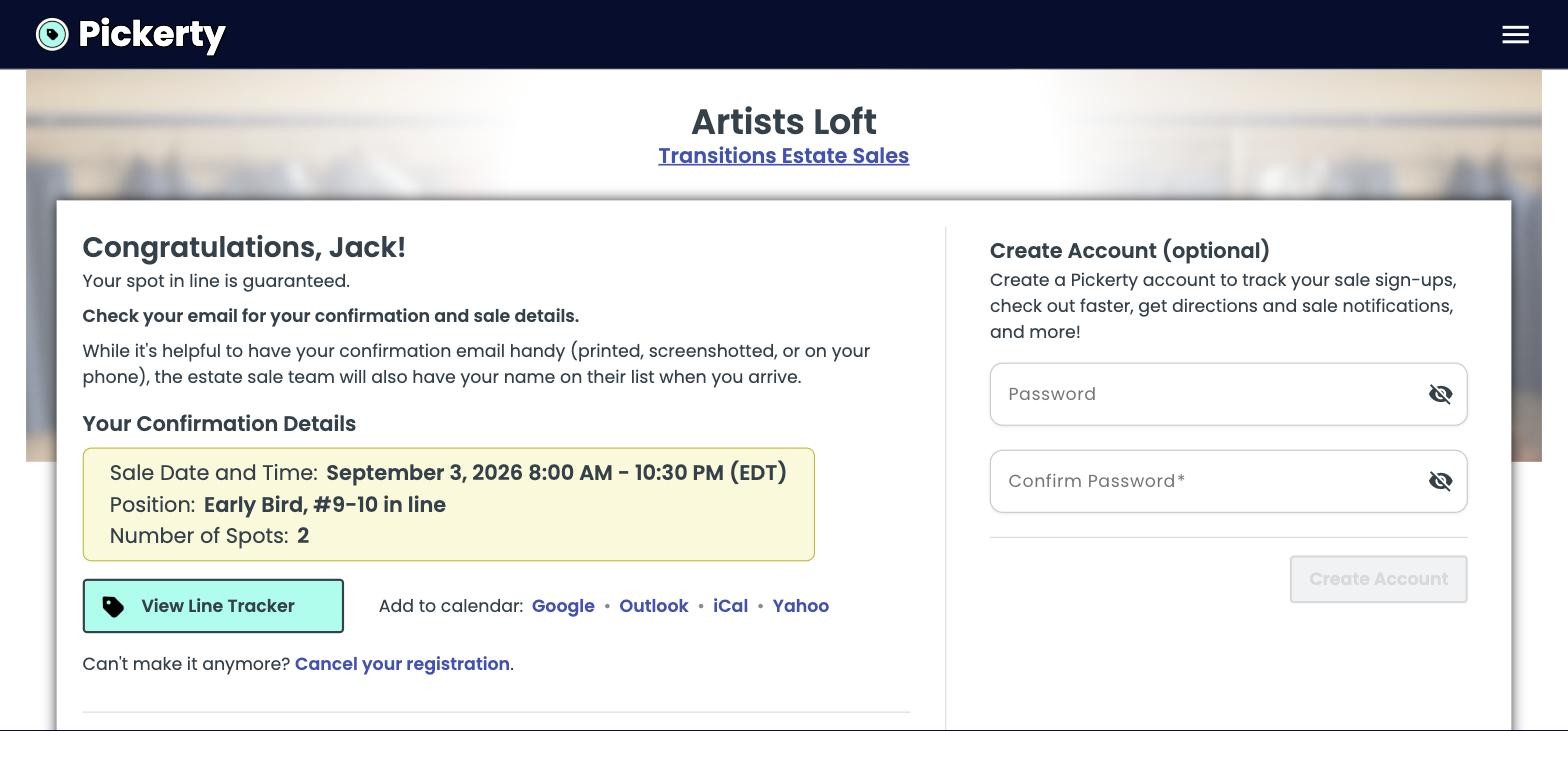
The shopper enter their contact details and confirms. They get a confirmation they can add to their calendar, and they can cancel their own spot from it without going through you.
If you've set a disclosure date, shoppers see your town and state and a blurred map until it passes, with text telling them exactly when the full address appears. They can still sign up — nothing is held back except the street address. See Keeping your address private.
There's nothing to sign up for on an online-only sale — no dates to choose, no groups, no spots. Shoppers browse the photos and contact you directly.