 ← Pickerty Resource Center
Split your list into waves so they are easier to manage.
If you're using an online sign-up sheet, you can divide the list into named groups. Each group has its own number of spots and its own numbering, so you can let them in one wave at a time.
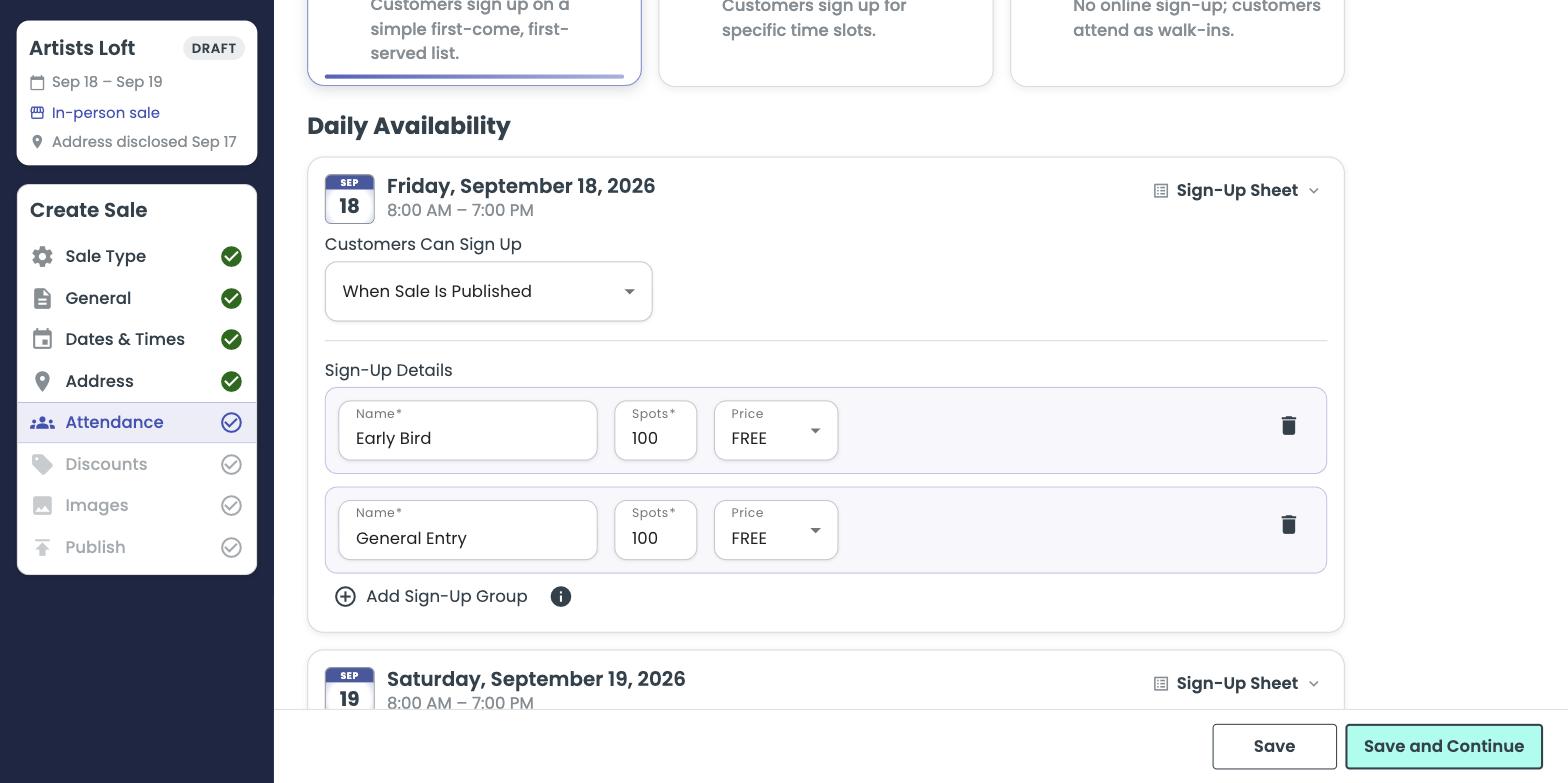
When you click Add Sign-Up Group, Pickerty copies the number of spots from the group above it. Change the name, the spot count and the price to what you actually want.
| Name | Says to the shopper |
|---|---|
| Early Bird | You get in first. |
| General Entry | The main wave. |
| Waitlist | We're full, but you might still get in. |
Groups show up as separate blocks on your check-in screen, so you can admit an entire group at once. See Sale day: checking people in.