 ← Pickerty Resource Center
Sell to customers who prefer shopping from home.
An online-only sale lists your items on Pickerty without opening a door. Shoppers browse the photos from home, contact you, and pick up what they buy afterward. There's no line to manage, no check-in, and no sale morning.
You choose this on the first step of setting up a sale.
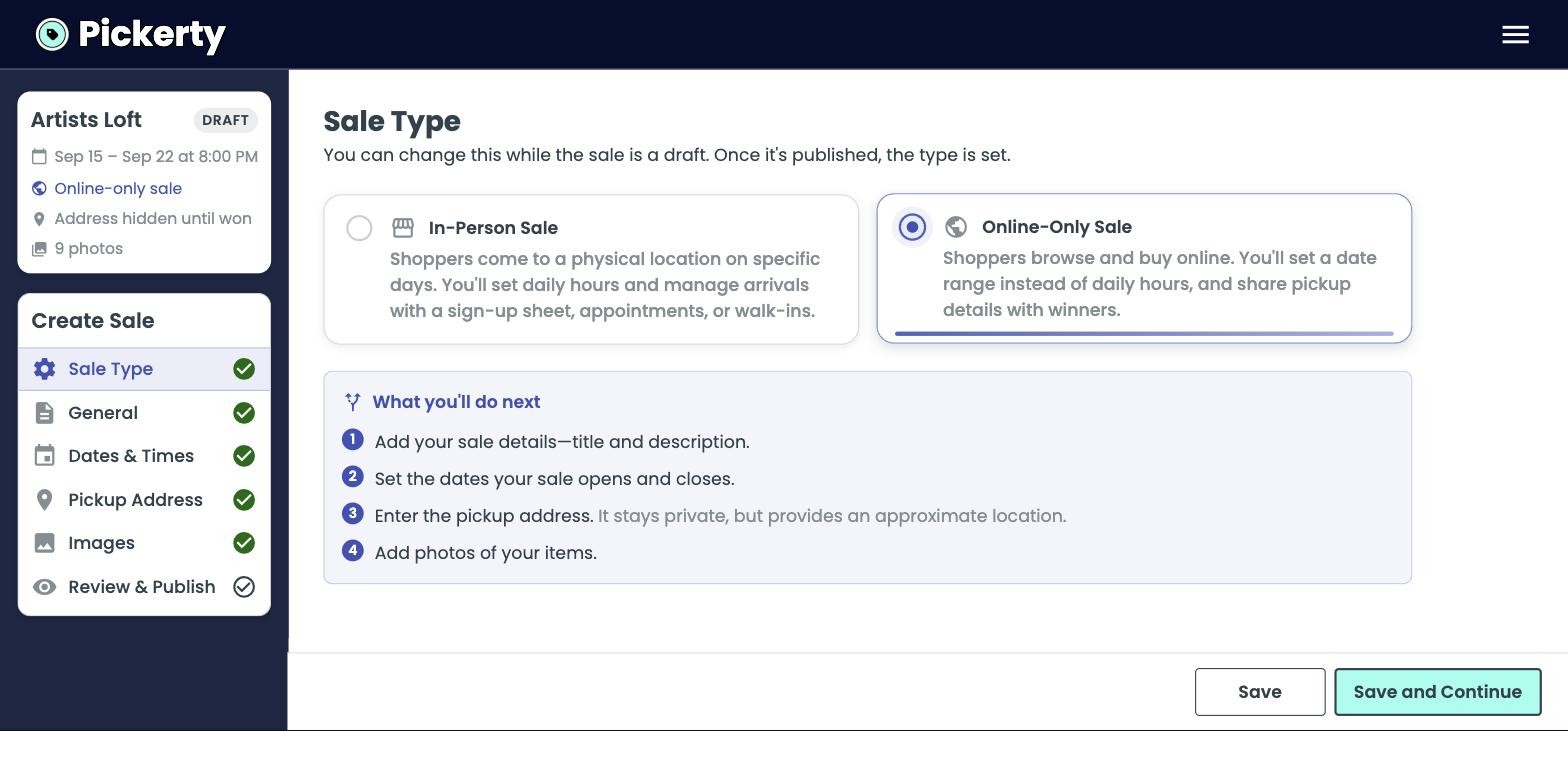
Pickerty helps with the advertising: your photos, your description, and how shoppers reach you. Everything else is yours to run. Shoppers contact you by phone or text, you agree the price, you handle the payment however you normally take payment, and you arrange pickup directly.
There is no checkout, no cart, and no bidding system. Nothing is bought or paid for on Pickerty (yet!). See Selling to online shoppers.
An online-only sale has no Attendance step and no Discounts step, because there's nobody signing up in advance. What's left is:
Everything else in this section — How people attend your sale, Entry groups, Charging for a spot and Discounts — is for in-person sales only. You can skip all of it.
An in-person sale is a list of days with opening hours. An online-only sale is one stretch of time: it opens, it runs, it closes.
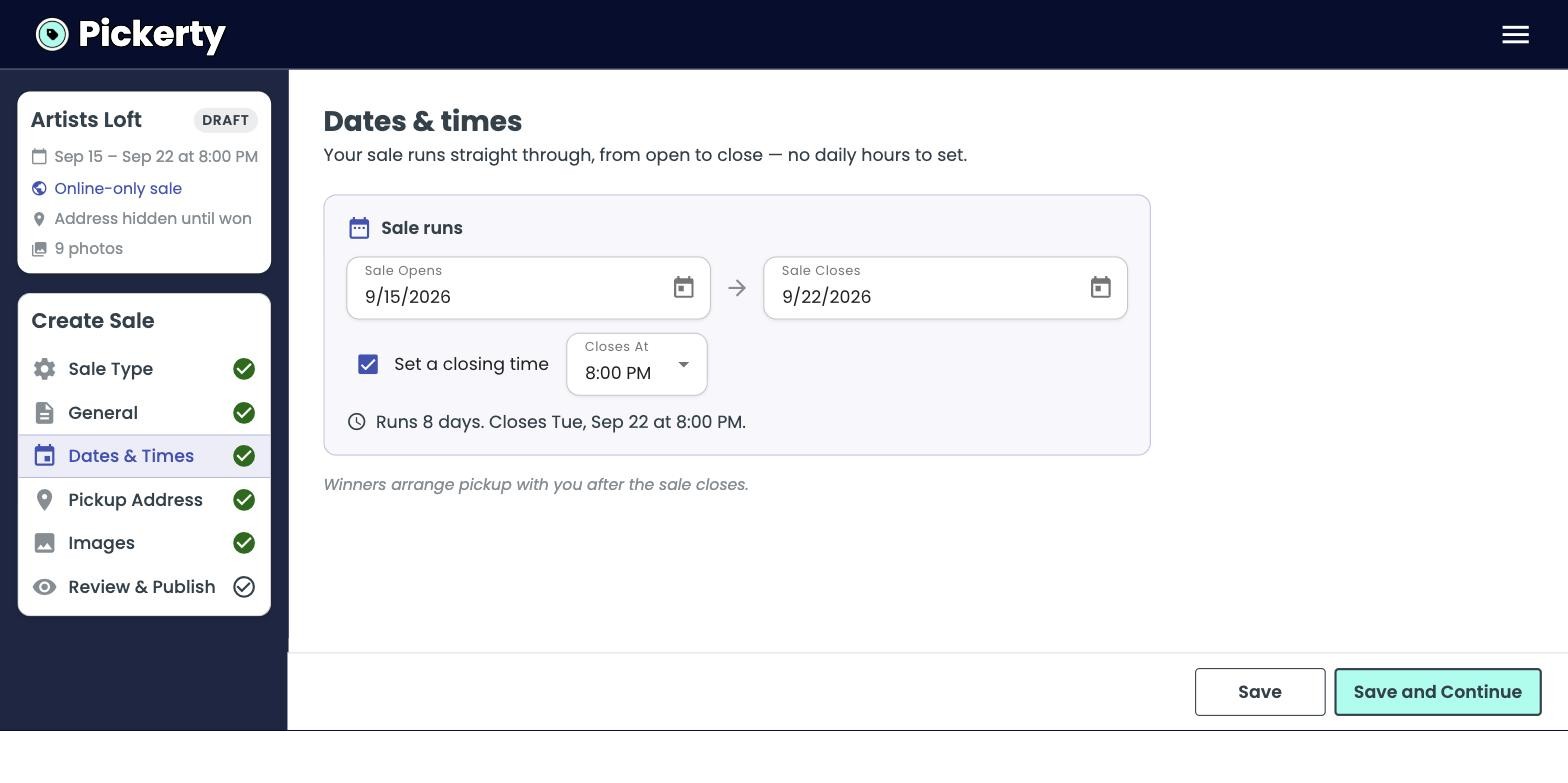
Set Sale Opens and Sale Closes. Check Set a closing time if you want the sale to end at a particular hour rather than at the end of the day — useful if you want to be at your phone when it finishes. The summary line under the dates reads back what you've set, like Runs 8 days. Closes Tue, Sep 22 at 8:00 PM, which is the quickest way to catch a wrong date or time.
Give yourself more days than feels necessary. Shoppers have to see the sale, think about it, and get in touch, and none of that happens in an afternoon.
Shoppers see your city, state, zip, and a map of the rough area. They never see the street address.
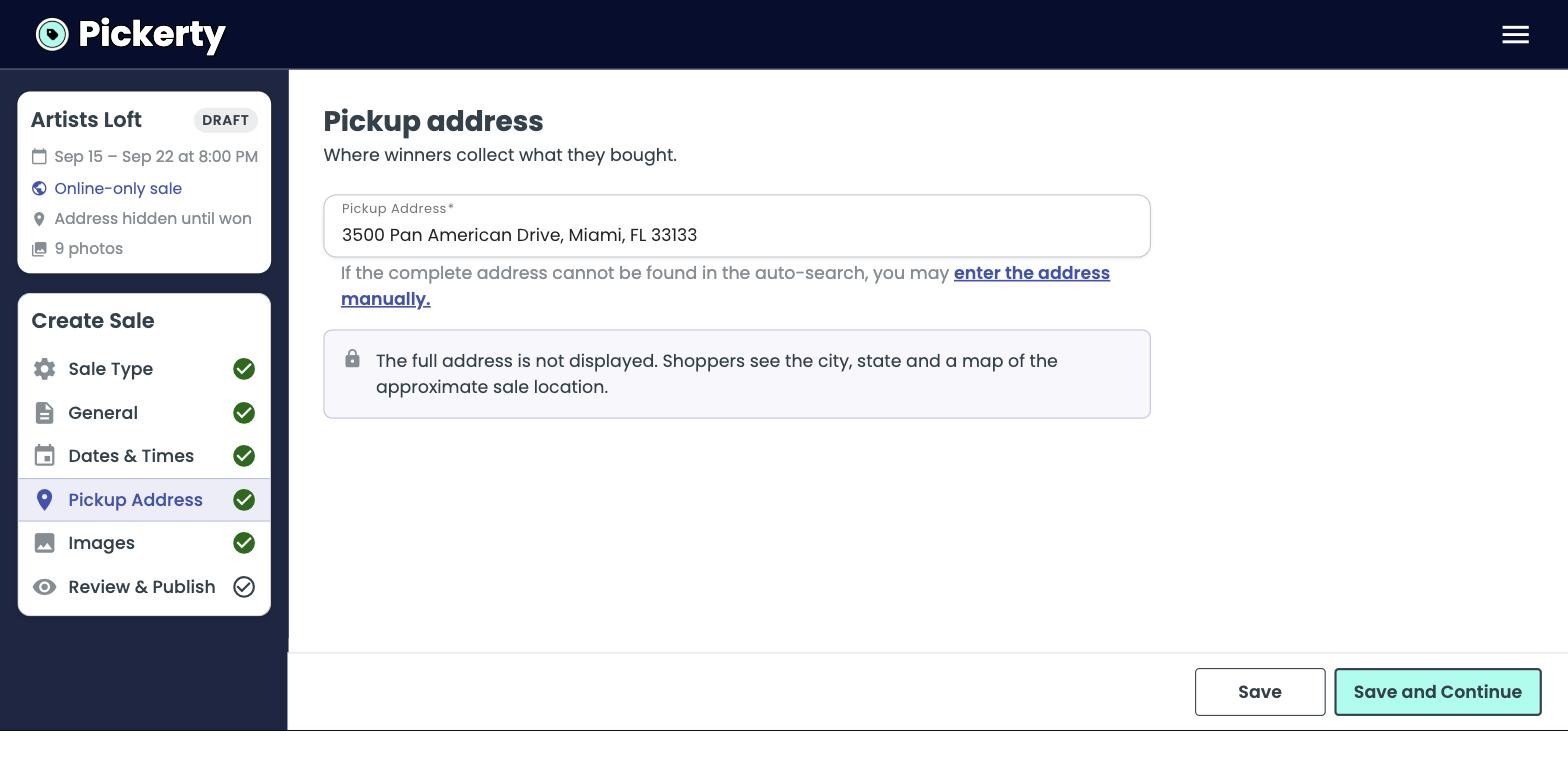
You share the real address yourself, with the people who have actually bought something. In the app you'll see this described as sharing it with winners — that just means buyers.
On an in-person sale you pick a date and time for the full address to appear publicly — see Keeping your address private. An online-only sale has no such setting, because the address is never published at all.
The last step lays the whole sale out on one screen, with an Edit link beside each part.
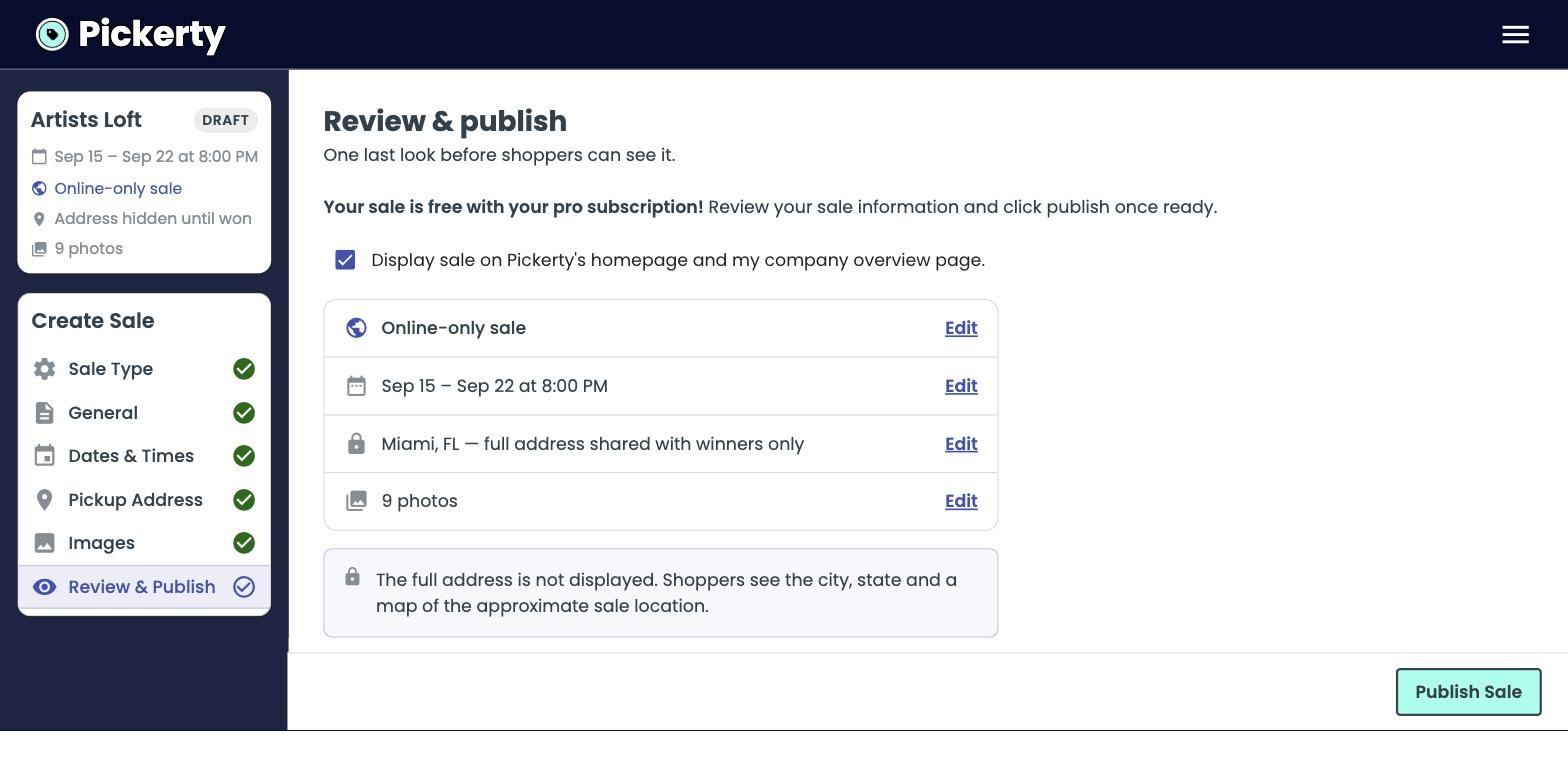
Check the date range, the pickup city, and your photo count, then click Publish Sale.
While the sale is a DRAFT you can switch between online-only and in-person as often as you like. Once you publish, the type is set for good, so it's worth one last look.
Leave Display sale on Pickerty's homepage and my company overview page checked unless you want a private sale you'll only share by link.
The description does more work here than it does for an in-person sale, because nobody is going to walk in and look around. Say plainly:
Your photos are the whole shop window, so Photos that showcase your sale matters more here, not less.
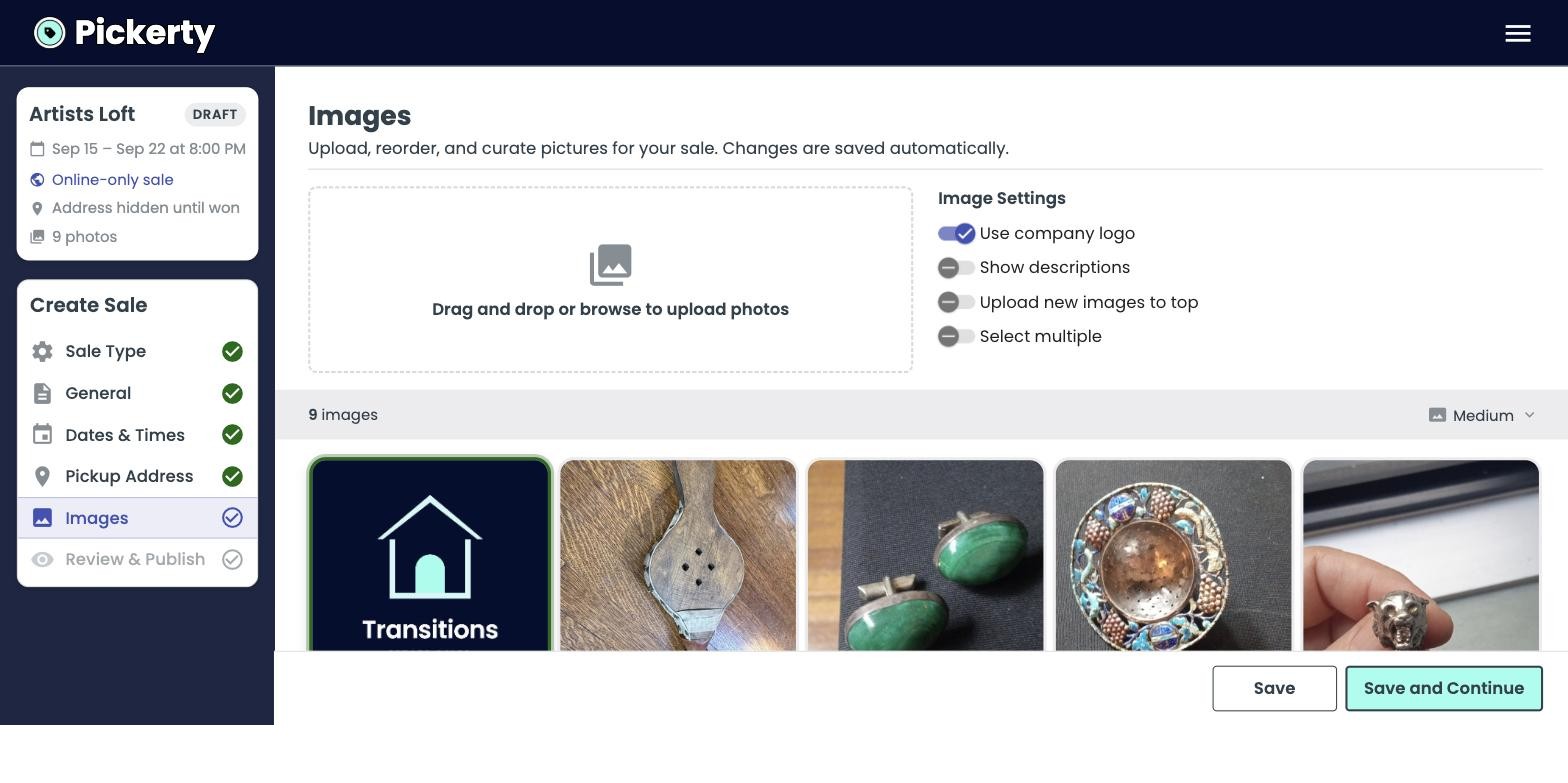
Photograph everything you want to sell, get close enough to show condition, and turn on Show descriptions so you can name each piece. A shopper who can't tell what something is won't call up to ask.