 ← Pickerty Resource Center
Publishing puts your sale online. Sharing the link is how you get people in the door.
The moment you publish, Pickerty takes you to your Sale Marketing page. You can come back to it any time from the left-hand menu: Marketing → Overview.
If all you need is the sale link, you don't have to go that far: every live sale on your dashboard shows its Registration Link with a copy button next to it.
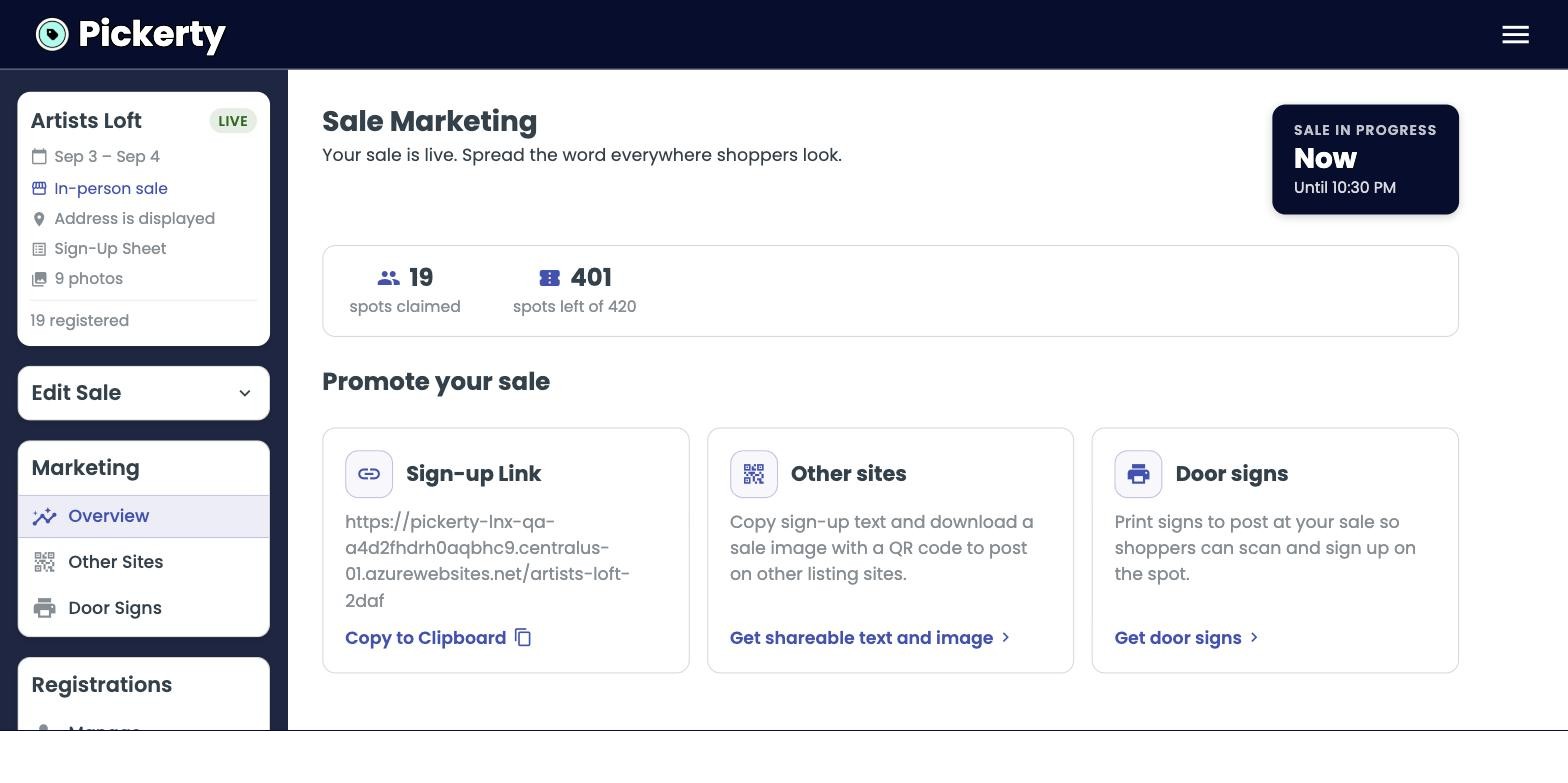
The first box holds the link to your sale on Pickerty. Click Copy to Clipboard, then paste it wherever you already advertise:
The link takes people straight to your sign-up page. Nothing else is needed — no account, no app, no password.
The link costs nothing to share and every place you paste it is another way in. The companies who generate a lot of traffic to their sales are the ones who post it the day the sale goes live, not the night before it starts.
The bar at the top of this page shows three running totals, with a countdown to your first sale day beside them.
| Spots claimed | How many people have signed up so far, across every day. |
| Spots left | How many are still available. |
| Collected | The total your shoppers have paid in spot fees so far. |
Collected is the full amount shoppers have paid, not the amount that reaches your bank. You keep 85% of it — see Getting paid if you charge spot fees.
Two more tools sit under the same Marketing menu — ready-made text and a QR code for other listing sites, and printable signs for the door. See Post on other websites, and print door signs.