 ← Pickerty Resource Center
Charging a fee to reserve a spot is not about the money. It's about making sure the people who sign up actually show up.
Pickerty lets you charge for a spot in line. Most companies who try it are nervous about it at first, so it's worth being clear about what the fee is for.
There are no sign-ups for walk-in only sales or for an online-only sale, so there's no spot to charge for.
It works the same way a restaurant reservation deposit works. When a spot is free, people grab them "just in case" and may show up to none. When a spot costs even $5, the people who claim it are the people who are committed to coming.
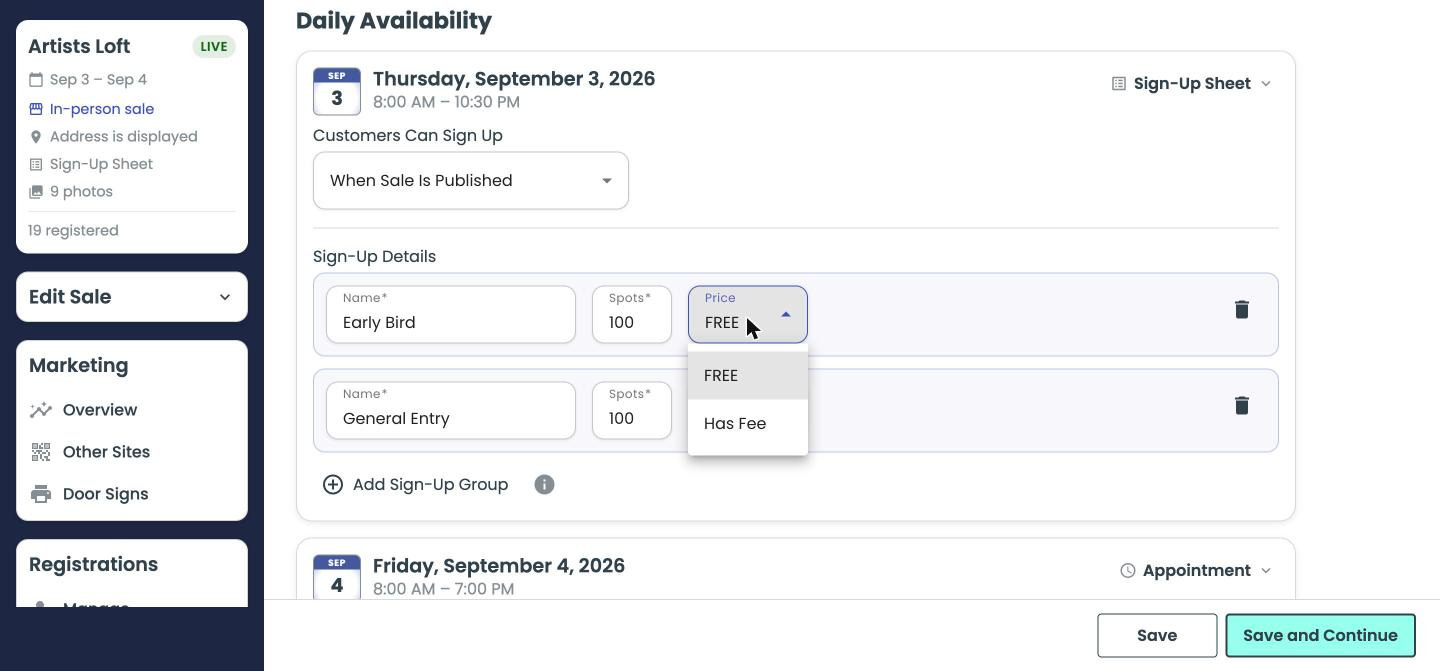
Pick Has Fee without Stripe Connect set up and Pickerty stops you with this:
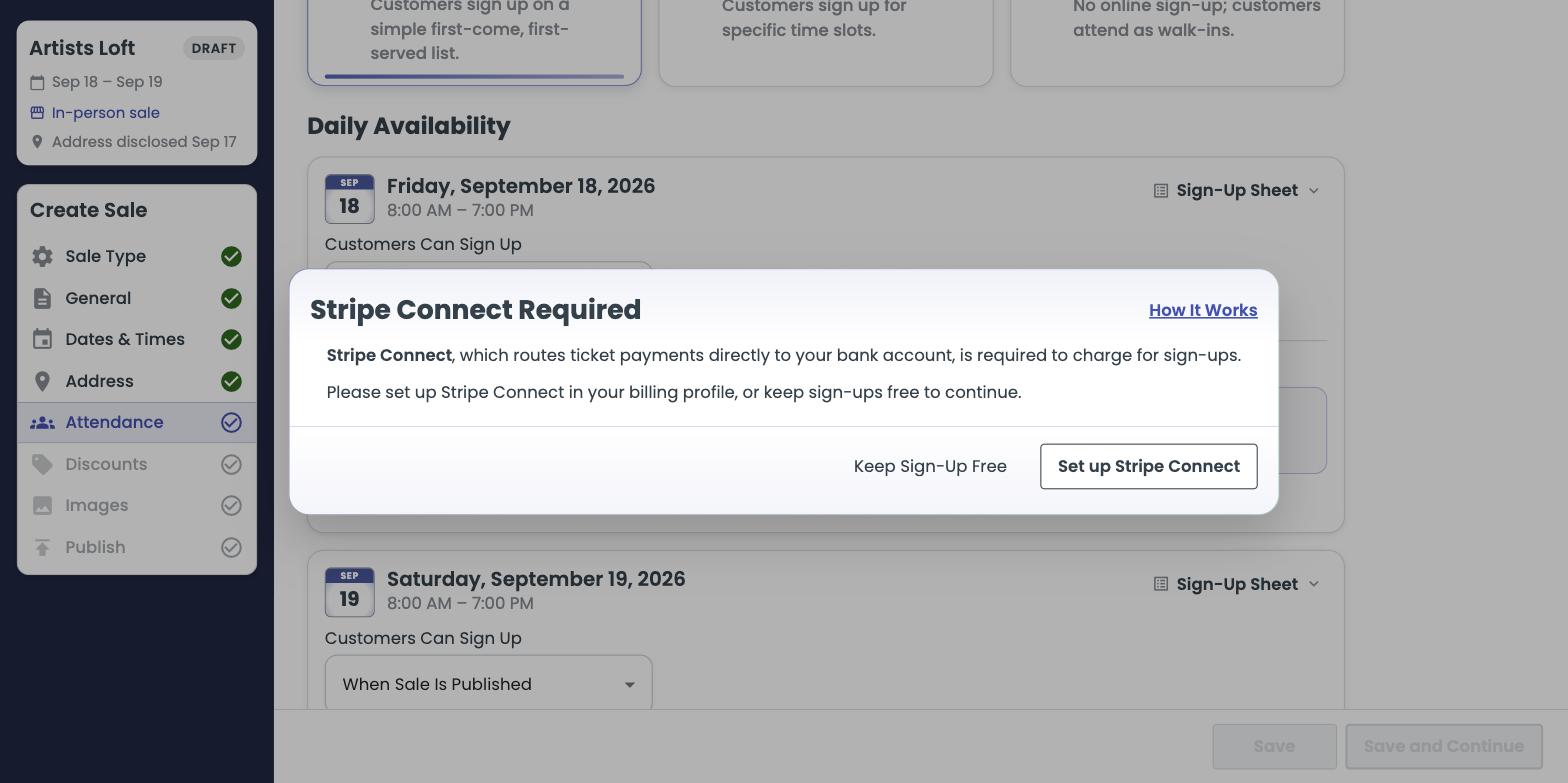
Keep Sign-Up Free backs out and leaves the group free, so you can finish building the sale. Set up Stripe Connect takes you straight into the sign-up, and brings you back to this step when you're done. The money goes from the shopper to your own bank, which is why Stripe has to be in place first — see Connecting Stripe.
Charge for the spot, then give the money right back as a discount on what they buy. The shopper pays $5 to hold a guaranteed spot, and gets $5 off once they spend $10 at the sale. If they come and buy, the spot cost them nothing. If they don't show up, they're out $5 — and you got a realistic head count.
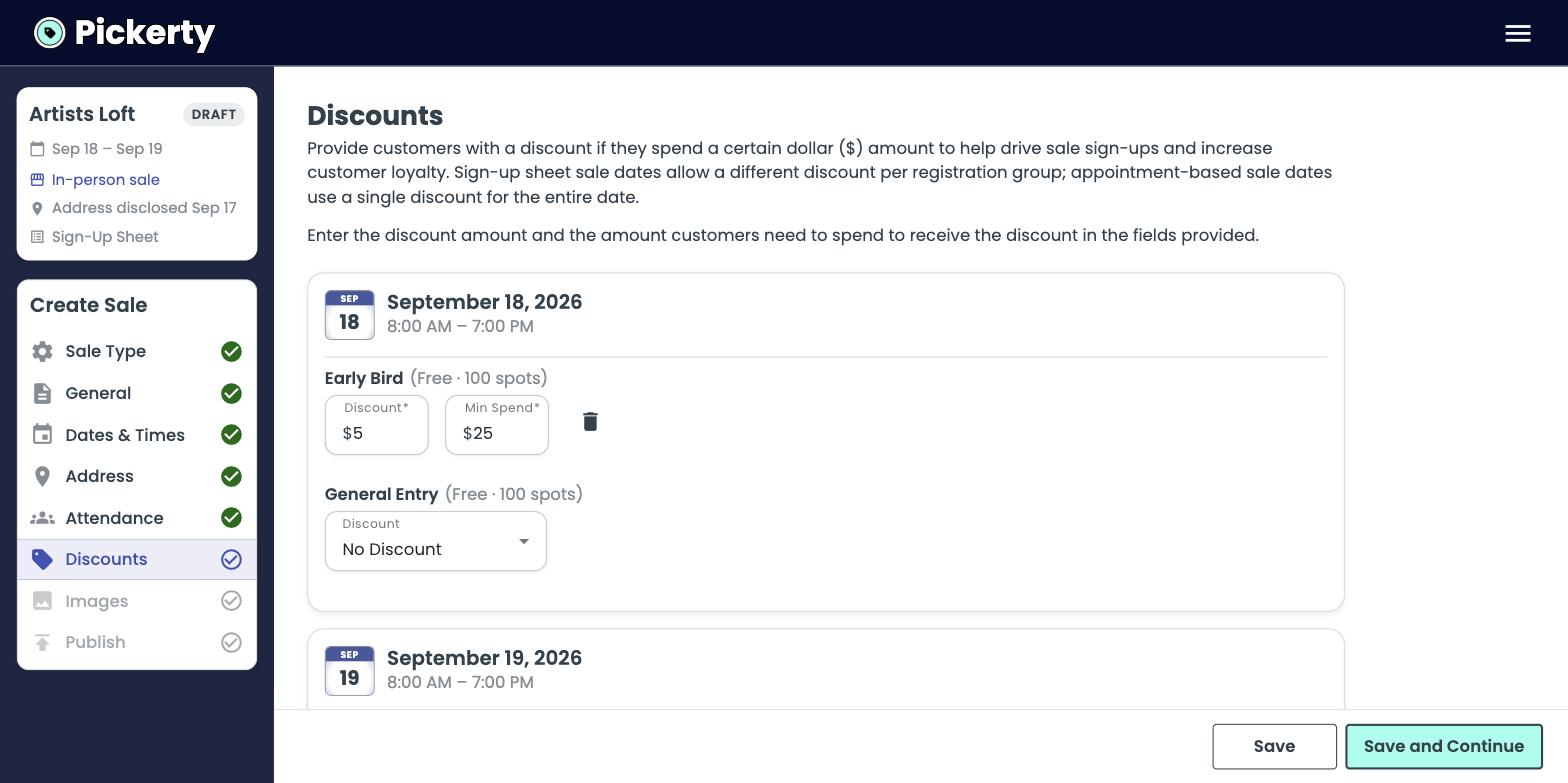
$5 and $10 are only an example. Use whatever suits your sales — $10 back at $50, $20 back at $100, or anything else. Two rules of thumb: keep the fee small enough that nobody feels gouged, and set the spending threshold at an amount your shoppers already reach without stretching.
Put one line in your sale description. Something like:
“Early Bird spots are $5 to hold. You get the full $5 back as a discount when you spend $10 or more at the sale — so if you come and shop, it's free.”
Pickerty's own shopper help page already explains it the same way: “Some companies—just like restaurants—may charge a small fee to make sure people who sign up actually attend.”
Charge for one group on one day, not the whole sale. Keep a free group open alongside it. Look at your no-show rate afterward and decide from there.
Fees are paid through Stripe and are transferred directly to your own connected Stripe account. You can see them under My Company → Billing → Direct Payouts. Pickerty never holds your money.