 ← Pickerty Resource Center
The screen you'll have open all morning.
On the morning of your sale, open the sale and click Check In Guests under Registrations.
Before your sale date, this page is locked to prevent any issues. It switches on automatically the day of your sale.
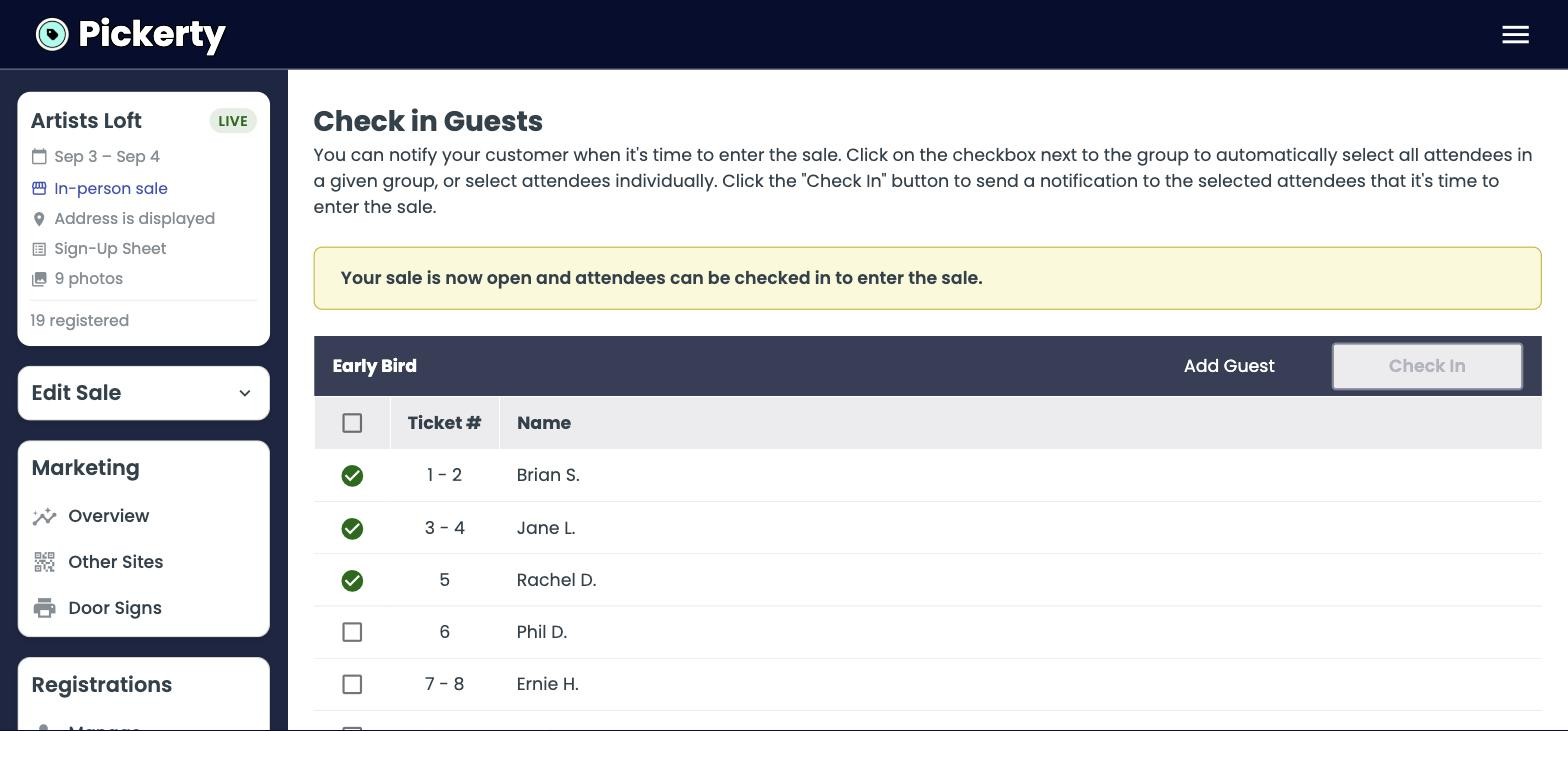
Don't wait until you're ready to open the door. Check the next group in five or ten minutes ahead, so they have time to park, walk up, and be standing there when you're ready for them. Your line keeps moving instead of stalling between groups.
This is the feature customers mention most, and it's worth understanding so you can tell them about it.
Because they're notified when it's their turn, they don't have to stand outside your sale for hours to hold their place. They can wait in the car or go grab a coffee nearby. Nobody needs to stand around in the heat of Texas summer, the cold of a Chicago winter, the rain or the snow to keep a spot they already reserved.
Emphasize this in your sale description, your social media posts, and in any email announcements you send. For a lot of shoppers it's the reason they sign up rather than just show up.
Click Add Guest in the group header. They go straight onto the list at the next number.
When you've worked through everyone waiting, click Close Registration at the bottom.
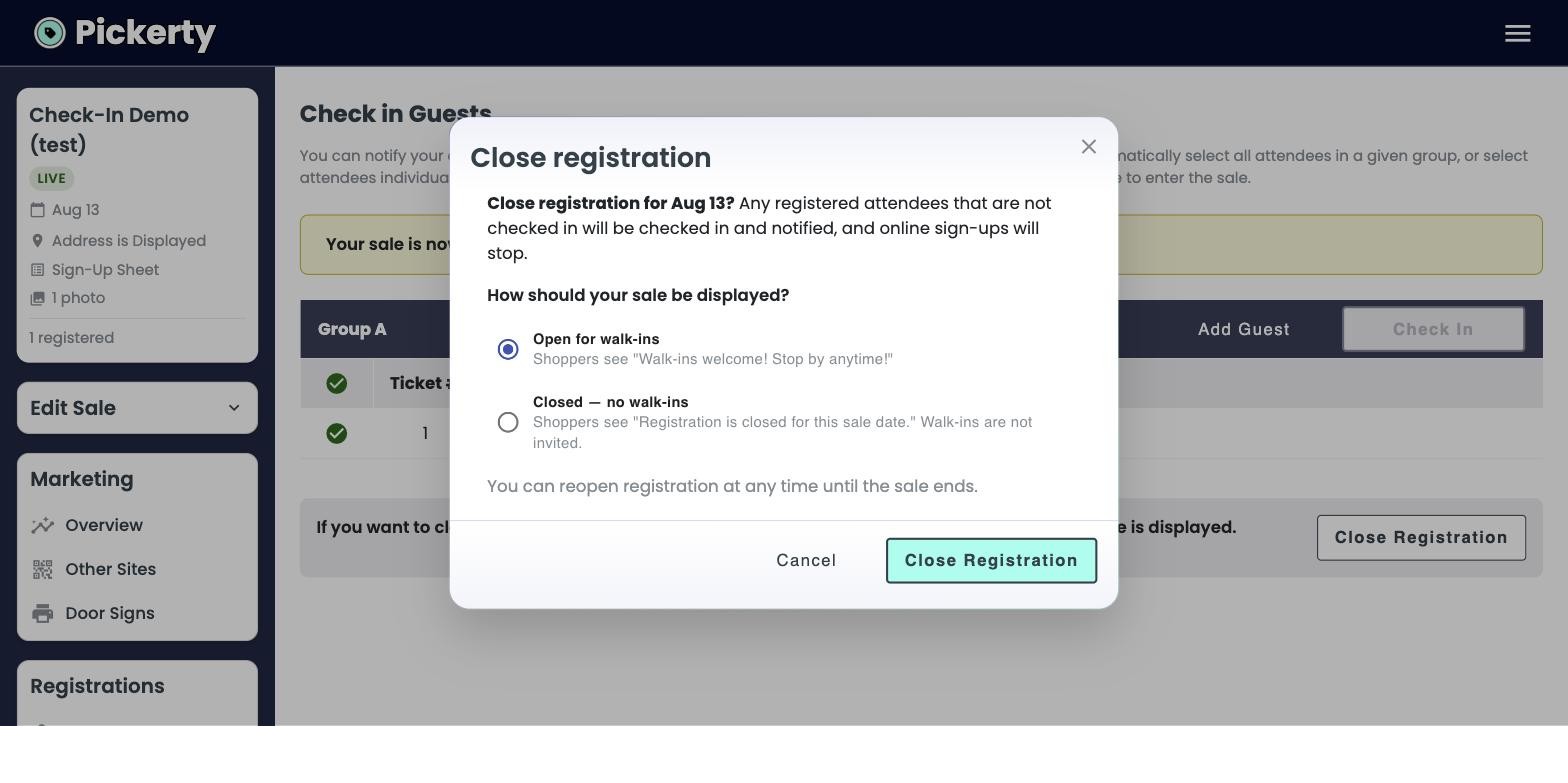
Two things happen. First, anyone still registered but not yet checked in is checked in and notified — so nobody gets stranded. Second, you choose what shoppers see from then on:
| Choice | Shoppers see |
|---|---|
| Open for walk-ins | “Walk-ins welcome! Stop by anytime!” |
| Closed — no walk-ins | “Registration is closed for this sale date.” |
You can reopen the list at any time until the sale ends, which can be helpful if you get a sudden rush.
Work through the numbered list first, group by group. Once the line has cleared — often by mid-morning — close registration and set it to Open for walk-ins. From then on it's an ordinary estate sale and people can just walk right in.
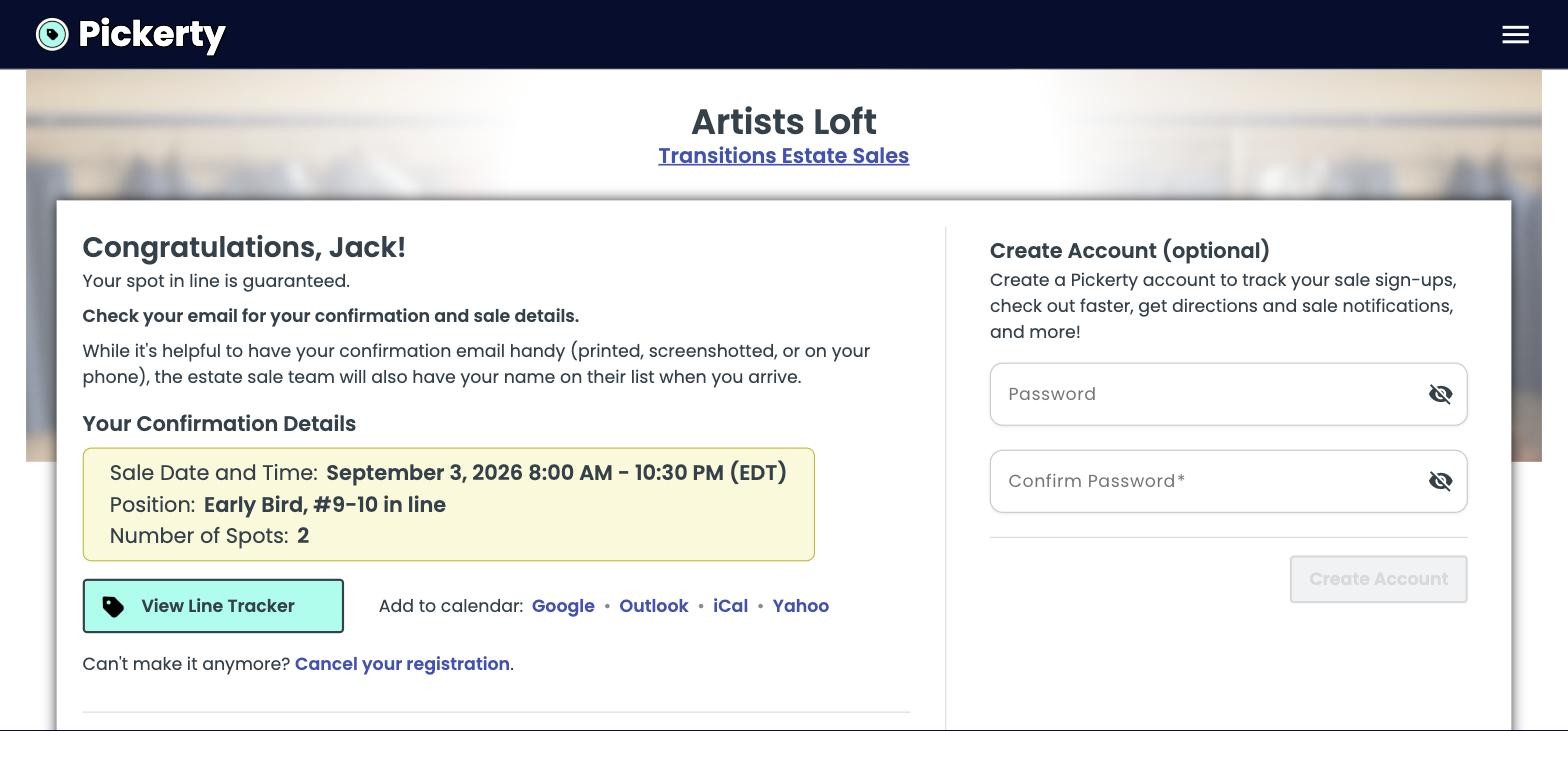
Their confirmation shows their date, their position in line, and a View Line Tracker button that switches on during the sale so they can watch the line move.
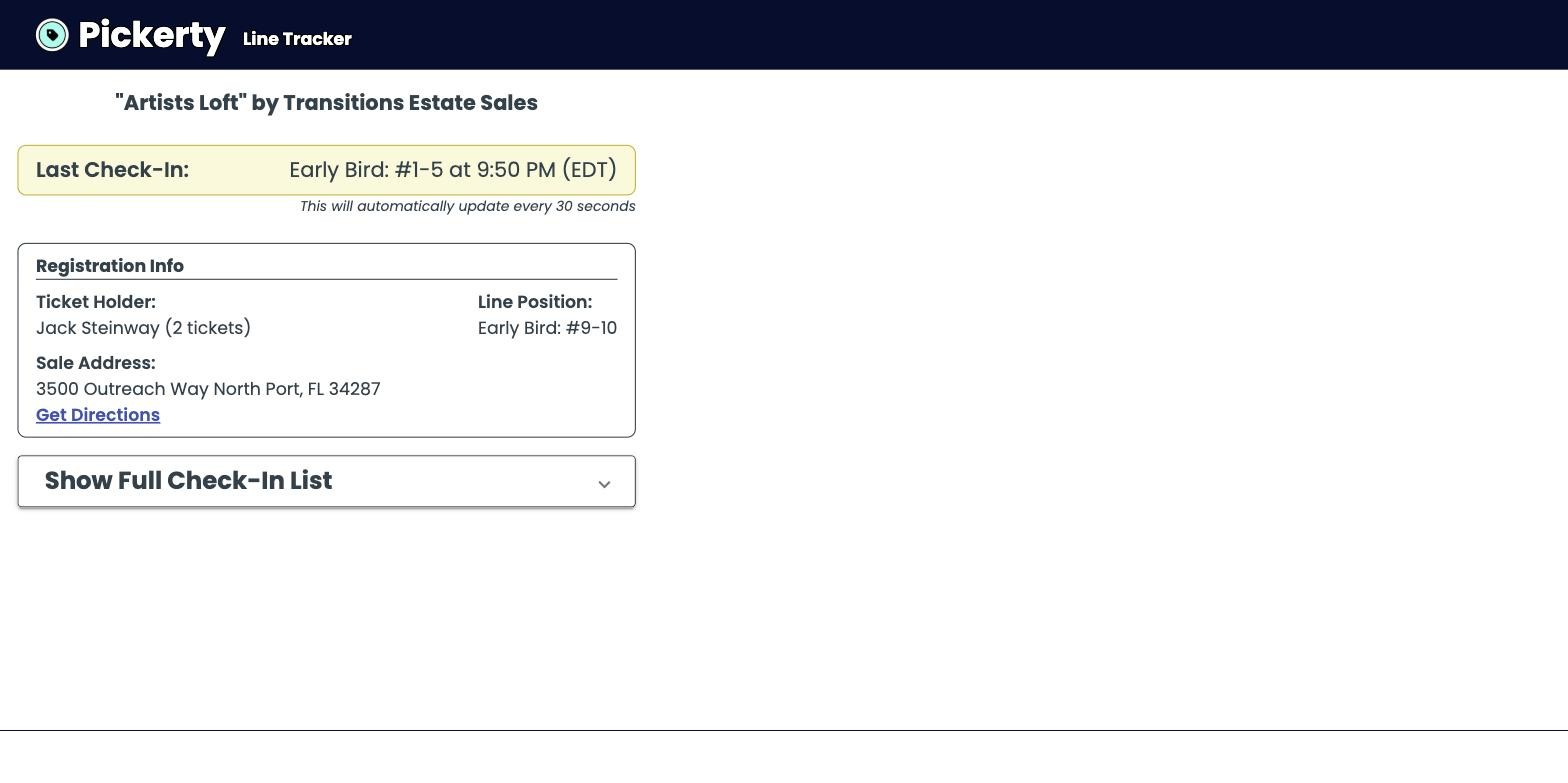
The tracker names the last group you checked in — Early Bird: #1-5 at 9:50 PM — next to the shopper's own position, so they can judge when to head over without calling you. Show Full Check-In List opens the whole running order, and the sale address sits right there with a Get Directions link.
Whoever works the door needs the Check-In Attendees permission — and only that. See Add your team.