 ← Pickerty Resource Center
Pickerty replaces the paper sign-up sheet or manually juggling appointments.
Every estate sale has the same problem. People arrive at 6 a.m. A paper list goes up. Someone argues about who was really first. You spend the first hour of your sale sorting out the line instead of selling.
Pickerty moves the list and appointments online. Shoppers claim a spot from home or on the go. You arrive on sale day with a customer list in hand. Same for appointment-only sales.
Every shopper who signs up is asked whether they'd like to hear about your future sales. The ones who say yes are added to your subscriber list — names and email addresses you keep.
So every sale that takes sign-ups doesn't just run more smoothly. It grows a mailing list you own, at no extra cost. After a year of sales that list becomes the cheapest way you have to fill the next one. See Your subscriber list.
A day set to Walk-Ins Only has no online sign-up, so there's nobody to opt in. If growing your contact list matters to you, use a sign-up sheet or appointments for at least one day of every sale.
| Word | What it means |
|---|---|
| Sale | One estate sale, which may run over several days. |
| Sale date | A single day of that sale. Each day has its own list. |
| Registration | One shopper who has claimed a spot for one day. |
Click the menu button in the top right corner of any Pickerty page. That menu is how you reach everything.
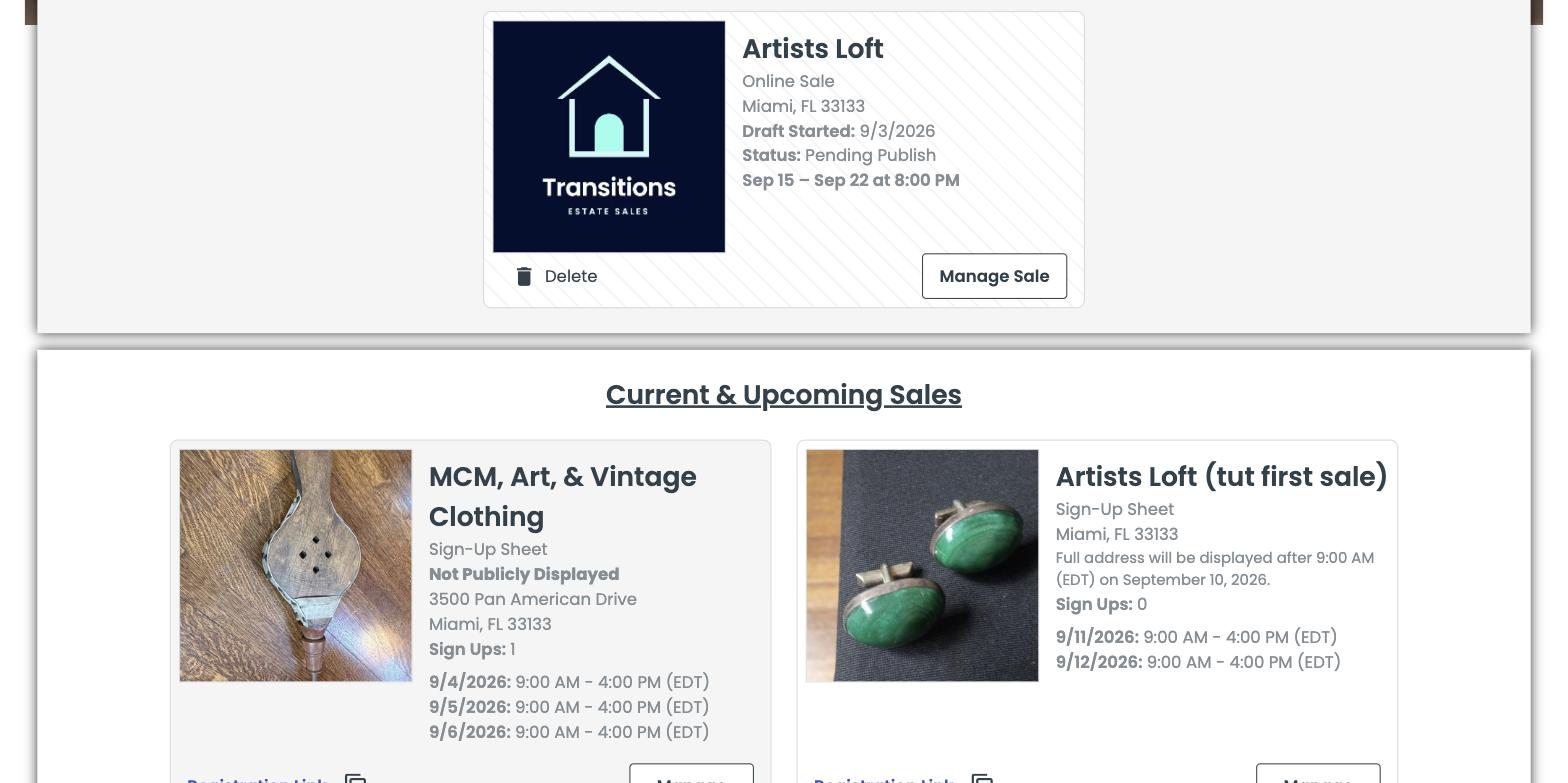
Your dashboard is the page you'll start from most days. It has three sections, top to bottom:
Published sales have a Manage button; drafts have Manage Sale.