 ← Pickerty Resource Center
The most valuable thing Pickerty builds for you.
When someone signs up for one of your sales, they're asked if they want to receive notifications from you. The ones who say yes become your subscribers.
Over a year of sales, this list quietly becomes your best asset. Buying an audience is expensive. This one you get for free, one sale at a time.
Open the menu, then under Reports choose one of two views.
| Report | Shows | Use it to |
|---|---|---|
| All Subscribers | Everyone, with how many of your sales they've attended, and which was their last. | Build your main mailing list. |
| Subscribers by Sale | Just the people from one completed sale. | Follow up with the crowd from a particular sale. |
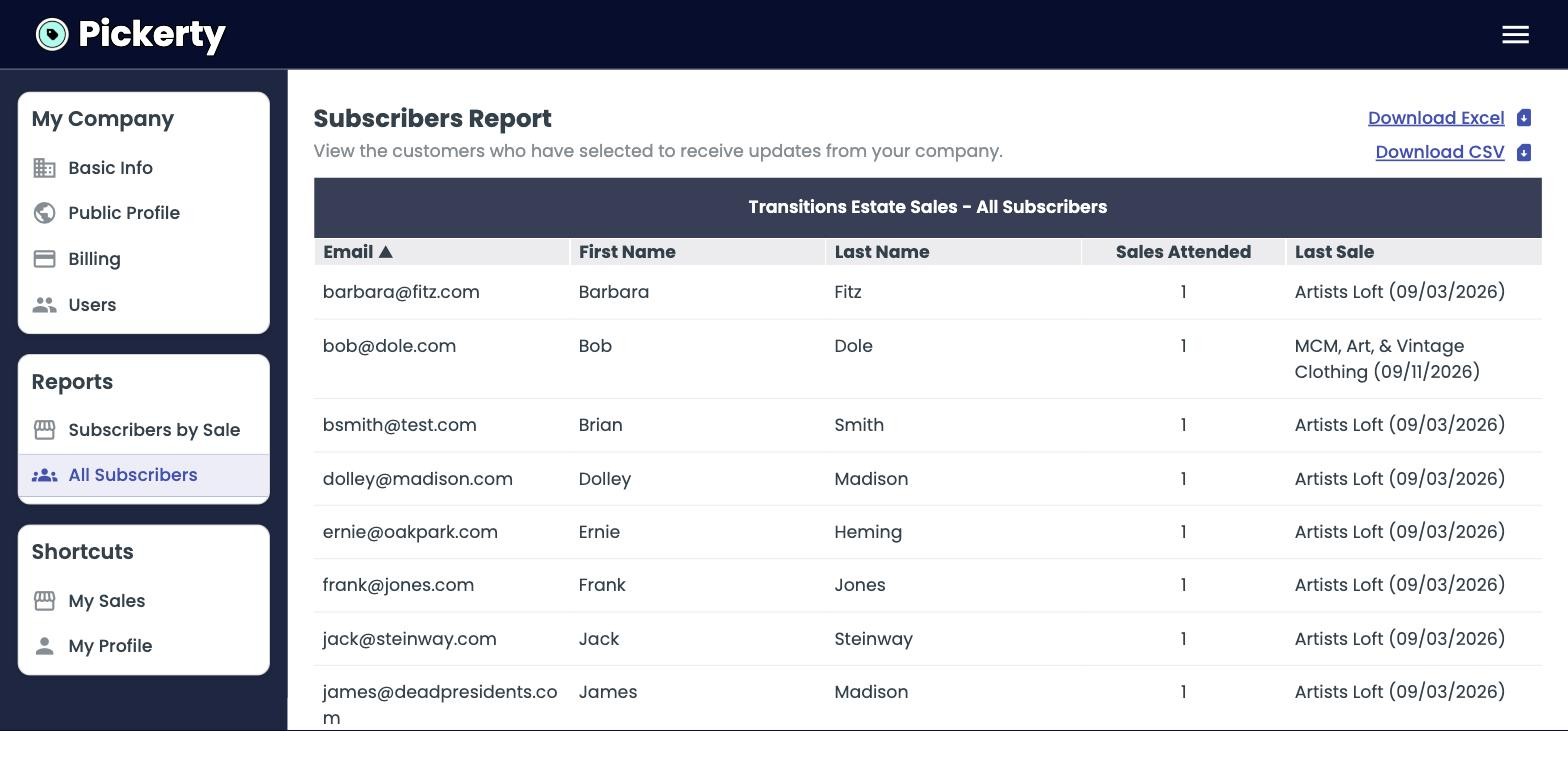
Click Download Excel or Download CSV at the top right. Either file will open in Excel or Google Sheets, and either can be uploaded into Mailchimp, Constant Contact, or whatever you use to send email.
These people checked a box to hear from you, not to be sold to daily. One email per sale is plenty. Anyone who feels spammed can switch you off in their own Pickerty settings, and you won't get them back.
Previous: Selling to online shoppers